Personalisation - MyJio
Tata Play | UI/UX Designer

Project Background
MyJio is a super‑app hosting multiple mini‑apps and services (e.g., mobile recharges, JioMart, JioTV, Music, Games, Fiber, Health, Pharmacy). Historically, most users associated MyJio with telecom utilities and did not meaningfully discover the wider ecosystem. The Personalisation initiative set out to make MyJio feel relevant to each individual from the very first session—so discovery, conversion, and satisfaction increase without adding cognitive load.
Project Details
We planned and delivered Personalisation in two phases:
Phase 1 — Onboarding‑led Foundations
Establish a unique user identity, consent, and context signals during onboarding.
Collect key demographic, contextual, and preference inputs with clear value exchange.
Prime the dashboard with location/time/device‑aware defaults.
Phase 2 — Profile & Behaviour‑driven Adaptation
Build a lightweight profile model (demographic + declared preferences + behavioural signals) to continuously adapt the home dashboard, search, and promotions.
Drive deep links to relevant mini‑apps and offers; keep content fresh with expiry windows.
Outcome vision: the dashboard evolves from a static, one‑size‑fits‑all view to a living surface that mirrors each user’s context and interests.
My Roles & Responsibilities
As the UI/UX Designer for this project I was in charge of:
Research synthesis, competitive analysis (Instagram, Facebook, Swiggy, Gojek, Amazon, Spotify, Vodafone), and opportunity framing.
Experience strategy across Phase 1 (Onboarding) and Phase 2 (In‑app adaptation).
Information architecture, user flows, and wireframes for data capture, consent, and personalised surfaces.
High‑fidelity UI aligned to the Jio Design System; scalable component patterns for cards, rails, and CTAs.
Clickable Figma prototypes and stakeholder walkthroughs; alignment with product, business, and tech.
The Key Problem
How might we personalise MyJio so each user quickly discovers value beyond recharge—without adding friction or noise?
Why this matters
App stores host millions of apps competing for attention; super‑apps must demonstrate clear, personalised value fast.
Our first‑time and returning users reported (and data corroborated) that the home felt static, duplicated, and not tuned to their interests.
The Solution (Two-Phase Rollout)
Phase 1 - Onboarding led Solution
Capture signals with consent and immediate payoff:
Identity & Contact: OTP login → unique profile ID; enable tailored push/WhatsApp notifications where opted‑in.
Demographic & Preference Capture (lightweight): age range, preferred language, 1–2 interest seeds (e.g., Movies, Shopping, Health).
Contextual Signals: location permission for local offers; device/time‑of‑day to pre‑arrange modules.
Value Exchange: show a “What you’ll get” preview rail updating live as the user selects interests.
Primary surfaces impacted: first open, home hero modules, top mini‑app icons, plan/account tile defaults.
Phase 2- Profile & Behaviour-driven Adaptation
Continuously refine and adapt key surfaces:
Home Dashboard Adaptation: reorder top mini‑app icons; inject personalised rails (e.g., “Offers for You”, “Continue Watching/Reading/Shopping”).
Promotions & Offers: time‑bound cards with explicit CTAs; deep‑link to exact action states in mini‑apps.
Search Defaults: seed suggestions by profile & past actions; show locality and recency‑aware results.
Freshness Model: content expiry (24h/7d) to avoid staleness and fatigue.
Key User Flows
First‑time user → Personalised home
OTP → lightweight interests & language → permission prompts with preview → home loads with adapted icons & rails.
Returning user → Adaptive dashboard
Behavioural signals (clicks, dwell, purchases) refine profile; home modules reorder; offers refresh.
Offer card → Deep‑linked mini‑app
User taps “Shop Now / Recharge in 1 tap / Play” → lands on exact screen/state inside the mini‑app.
Re‑entry & Continuation
From any mini‑app, users can re‑open “For You” rail; recent items persist with graceful expiry.
Research & Insights
Competitive Analysis
Phase 1 — Onboarding-led Foundations
We benchmarked apps that excel at capturing identity and preferences upfront while balancing consent and value exchange:
Click on image to get redirected to Prototype
Swiggy → Location-first onboarding; contextual nudges based on time of day; festive starter offers.

Spotify → Quick genre/artist selection during onboarding; immediate payoff with personalised playlists.

Vodafone → Language & demographic capture at login to simplify home defaults.

Amazon → Household identity and language setup; personalised promotions from first session.

Gojek → Dashboard density & widget layouts shift at login depending on whether the user is promo- or payment-centric.

User Personas

User Behaviour

Insight
Onboarding must be lightweight, consentful, and show instant payoff.
Phase 2 — Profile & Behaviour Driven
We also studied apps that continuously adapt homes and feeds based on behaviour & recency signals:
Instagram → Home feed & Explore tab adapt to viewing habits, trending topics, and events.

Facebook → Search suggestions and feed ranking tuned per user activity, recency, and location.

Swiggy → Time-of-day reordering of categories; repeat vs. new user flows; festive offer personalisation.
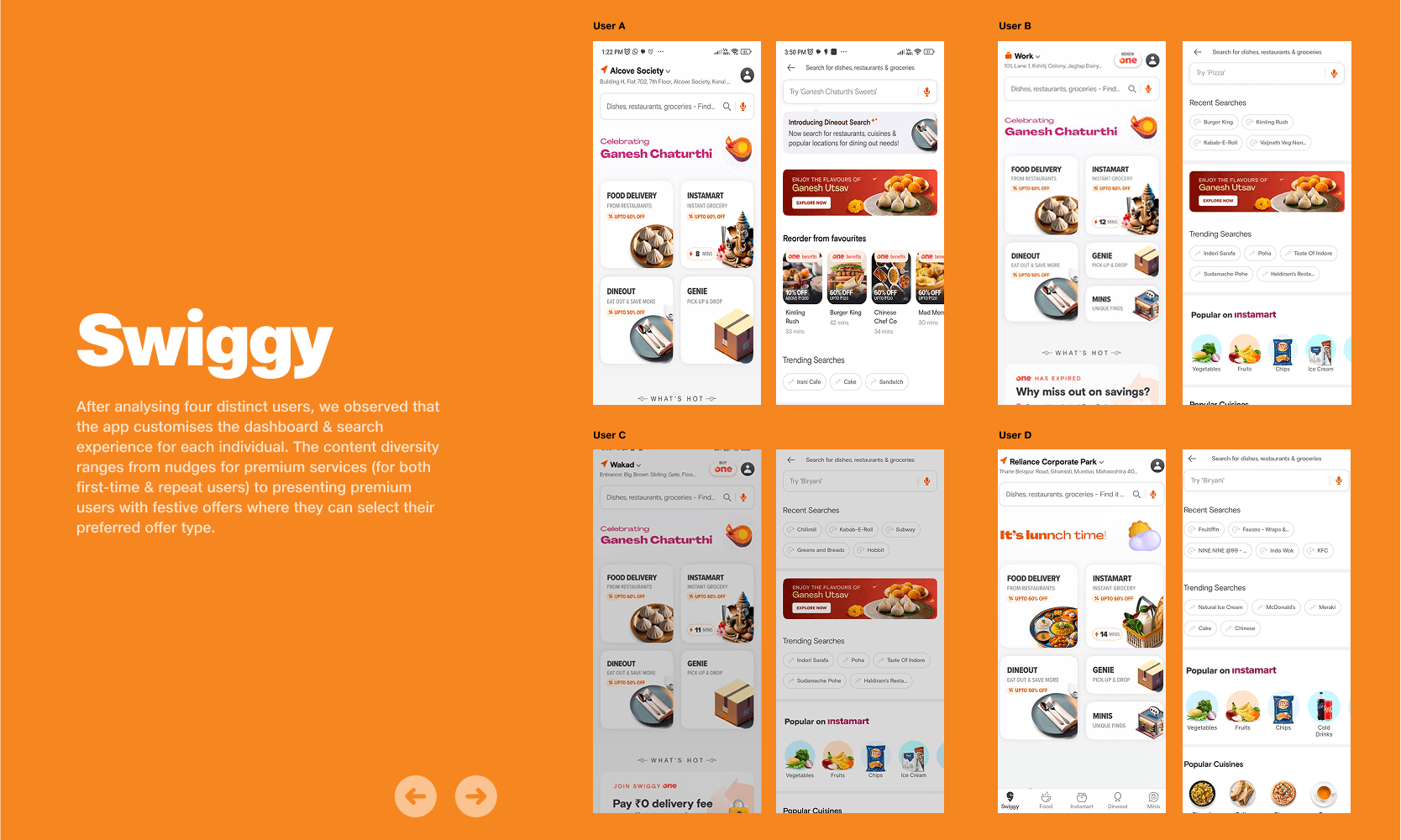
Gojek → Search surfaces and in-app modules adapt to profile depth (payments vs. mobility vs. food).

Plan of action
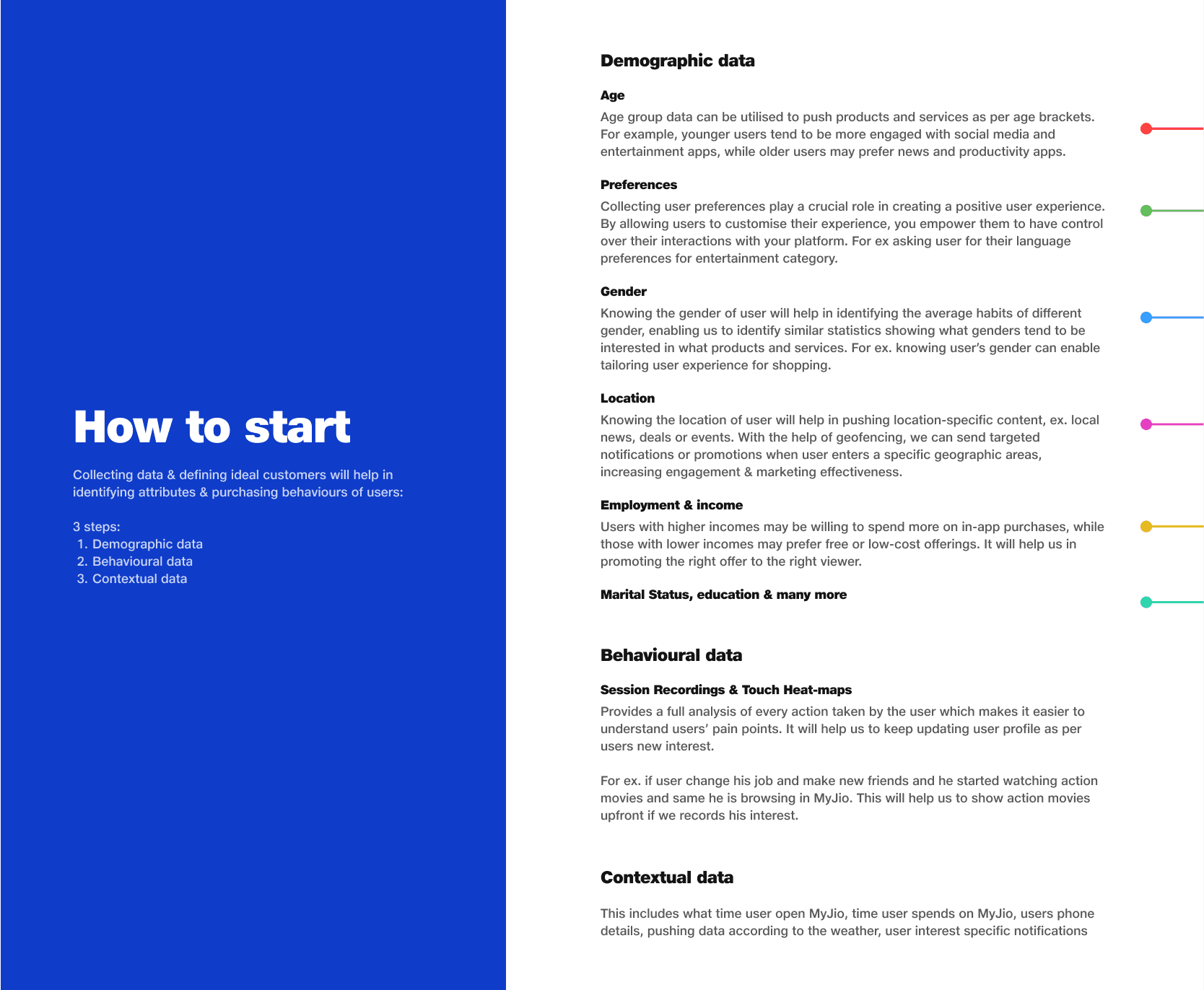
User Profile data

Heatmap Findings

Insight
need for adaptive home, expiry model, and eligibility-aware offers.
Final Design Screens
Phase 1 - Smart onboarding with identity + language + interests
Onboarding welcome & OTP screens

Language & Interest selection

Homepage according to interests

Phase 2 - Adaptive home with dynamic icon rail, personalised rails
User A Homepage

User B Homepage

Live Prototype
Phase 1
Onboarding Prototype

Phase 2
User A Dashboard
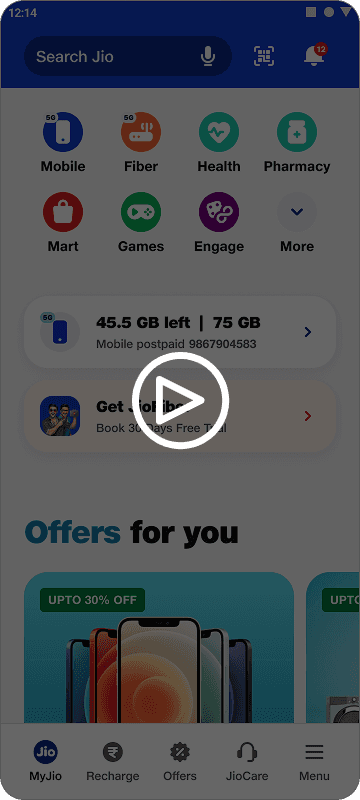
User B Dashboard

Takeaways
Value exchange first → consent succeeds when payoff is visible.
Freshness matters → expiry windows maintain trust.
Privacy by design → consent and opt-outs as core UX.
Cross-functional alignment → ensured scalable rollout.
This project challenged me to think in phases — first building onboarding foundations, then scaling adaptive systems. It deepened my understanding of how user signals, business priorities, and design decisions intersect. Most importantly, it reinforced that personalisation is not just about surfacing more content, but about earning trust through clarity, consent, and relevance.